
Quick, Practical Overview
Tizen delivers a snappy smart-TV experience with a clean app launcher and solid streaming support, and if you’re comparing displays from a monitor manufacturer you trust, Tizen deserves a close look. You’ll notice fast app load times, consistent firmware updates on many models, and an interface that keeps what you use most one click away. I’ll cut to the chase: pick Tizen for simplicity and reliability; pick something else for experimental features.
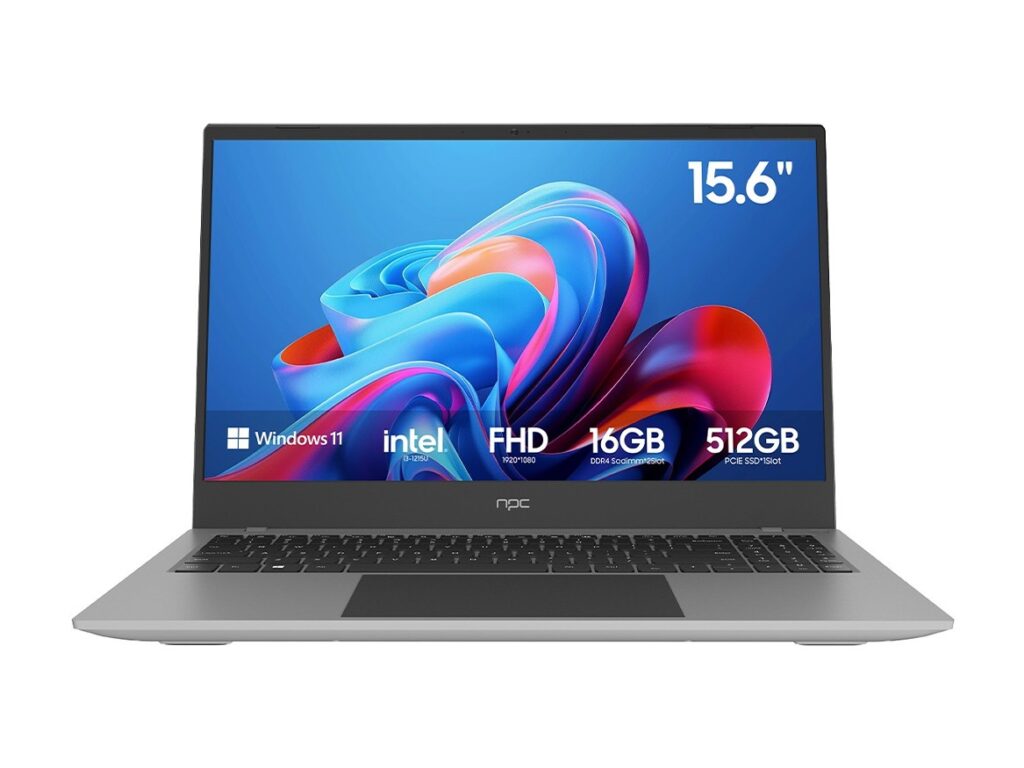
How Tizen Stacks Up (Comparative Insight)
Compared directly with Android TV, webOS, and Roku, Tizen wins on smoothness and manufacturer-backed app stability. Android gives you more apps and sideload options. webOS focuses on elegant gestures and remote design. Roku offers unmatched simplicity and search breadth. Tizen sits between Android and webOS: more polished than Roku, less tinkery than Android. Think: polished mainstream UX versus deep customization.
App Ecosystem and Native Strengths
Tizen’s native apps cover major streaming services, sports platforms, and built-in casting. That matters because most people spend 80% of TV time inside a handful of apps—streaming, live sports, or screen mirroring. If you rely on specialized streaming clients or regional apps, verify availability before buying. Firmware stability matters here: manufacturers that keep Tizen updated protect your apps over time.
Performance, Remote, and UX Realities
Responsiveness is a top differentiator. Tizen models often boot faster and handle UHD streams without menu lag. Remotes vary: voice-capable remotes make navigation faster, but cheap remotes kill the experience. Consider models with decent processors and sufficient RAM—those translate to fewer freezes and smoother navigation during intense streaming sessions.
Real-World Perspective and Evidence
At CES 2024, several display makers highlighted new panel tech and UI refinements that pushed viewers toward higher refresh and better color handling; that trend also steered professionals and enthusiasts toward best pc monitors for mixed-use setups. My hands-on time with Tizen units and pro editing screens confirms: choose a TV whose platform matches your daily habits—gaming, film, or mixed workflows—so you don’t trade convenience for a feature you rarely use.
Buying Considerations and Practical Tradeoffs
Decide what you actually need. Want broad app choice and Play Store access? Lean Android. Want a friendly, stable interface that “just works”? Tizen is solid. Prioritize: panel quality (HDR, peak brightness), input lag for gaming, and update policy from the brand. Warranties and local service matter more than prettier menus. Also check ports: multiple HDMI 2.1 inputs still matter for consoles and external sources.
Common Mistakes Buyers Make
Don’t buy based on UI screenshots alone. Ignore flashy demo modes that exaggerate HDR. Avoid models with limited update histories from obscure brands. Overpaying for a premium remote or bezel design while skimping on panel specs is common—and avoid that. Test the remote feel, check app availability, and confirm the brand’s update cadence before paying full price.
Alternatives Worth Considering
If you need deep customization or sideloaded apps, Android TV or Google TV will serve you better. For the simplest experience with dependable search and low friction, Roku holds strong. If your priority is a color-accurate screen for both TV and desktop use, pairing a smart TV with a dedicated monitor can be smarter—especially when you consult suppliers who specialize in displays.
Wrap-Up: What Works and Who Should Buy What
Tizen hits the sweet spot for viewers who want reliable streaming, a crisp interface, and fewer maintenance headaches. If you value simplicity plus performance, Tizen models are persuasive choices. If you need extra app freedom or pro-level color tools, adapt your pick accordingly—trusted partners in supply and specs like npc make those tradeoffs clear so you get the display that fits your everyday use, not just the shiniest spec sheet.